I’m excited to release Precomp Switcher v1.0, a Nuke plugin that speeds up your precomp workflow.
Features:
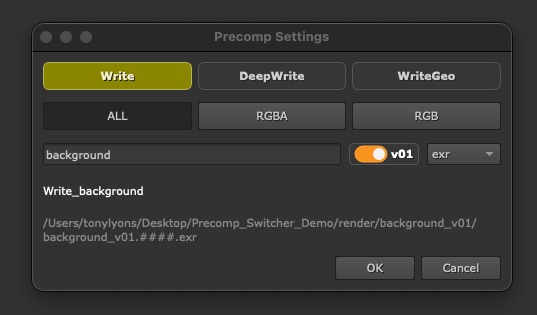
- A quick panel to create your precomp setup
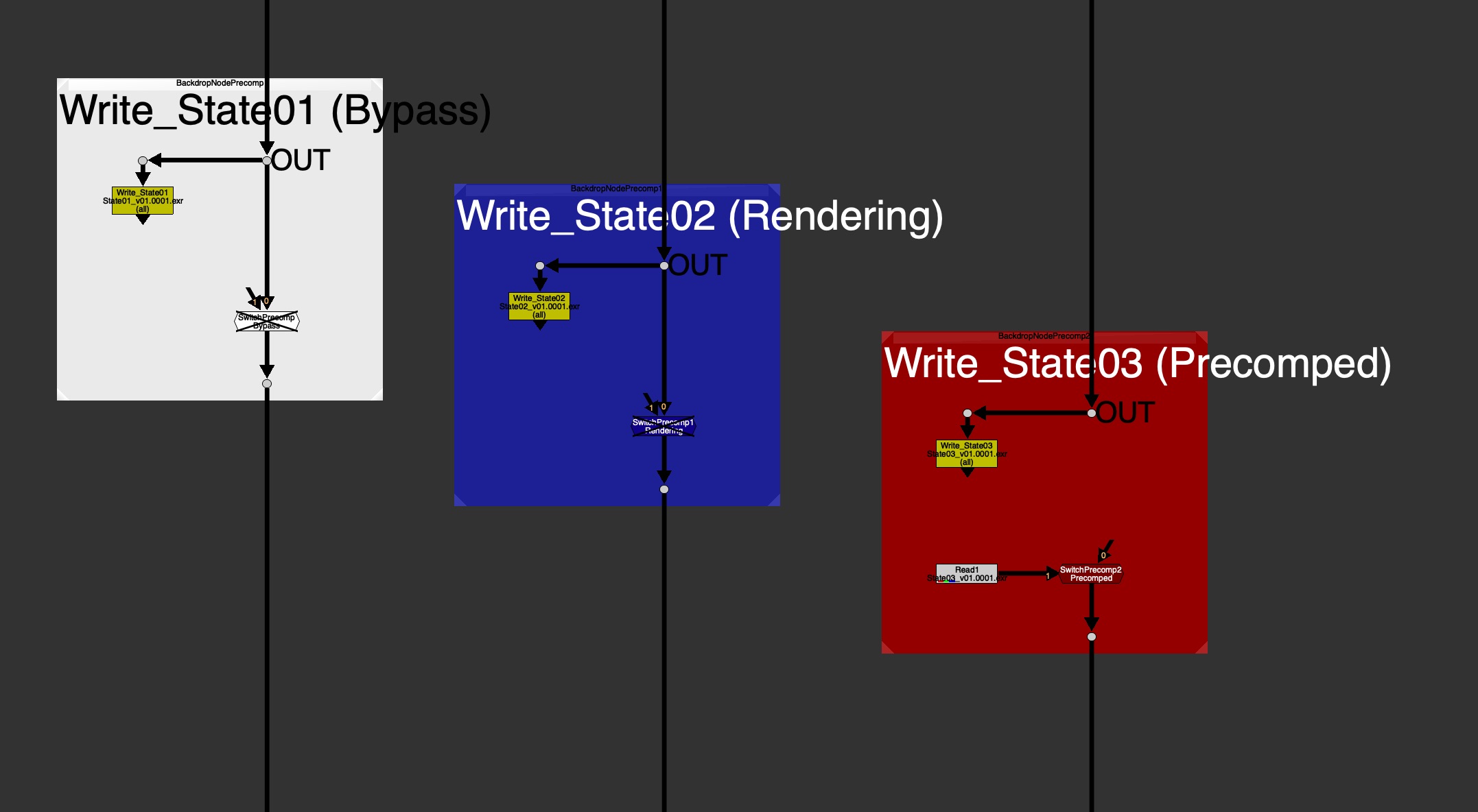
- A color-coded Backdrop shows the precomp state at a glance:
- White – Bypass
- Blue – Rendering
- Red – Precomped
- Toggle between Precomped and Bypass simply by disabling the Switch node.
- User Guide for everyday Artists & Developer Guide for how to hook it up with pipeline.
- Optional Feature for Localizing your precomps, for folks working with large files over a network.
Why use it?
- Consistency. Every precomp in every script looks and behaves the same.
- Readability. Tile color and label tell you at a glance whether a precomp is live, mid-render, or rendered.
- Speed. One hotkey to build, one to render, one to read back and flip/toggle.
- Pipeline-friendly. If your studio has its own render command, custom Write Node, custom Read Node or read-from-write tool, a TD can configure this tool to use those hooks to their own pipeline commands, instead of native Nuke ones.
Hotkeys
- Shift+W to create the Write, Switch, and Backdrop precomp setup
- F7 to render
- Alt+R to read back and toggle

Links
Github Repo:
https://github.com/CreativeLyons/PrecompSwitcher
Latest Release:
https://github.com/CreativeLyons/PrecompSwitcher/releases/latest

